Include only the most important and relevant information
Should be generated automatically and updated in real-time
Should include key performance metrics, such as revenue, expenses,
sales to provide a comprehensive view of the business’s performance
🤔 Assumptions
A restaurant manager may check POS data to check the daily revenue, with Reports Dashboard it would be much more easier to check daily revenue with a mobile phone at anytime, anywhere.
🌟 Milestones
Create a visual road-map and help your team stay on track.
🗒️ Requirements
Requirement
User Story
Must be mobile responsive
John is the business’s owner, he want to check on his business while
taking a vacation
Can filter by date
View reports by specific time range
Can export reports to excel
Export snapshot reports to excel file, to view later, analytic or
send via email
Can compare with previous period
John want to compare this Tuesday revenue with the Tuesday on last
week
⚡ API Integration
Description
API
🎨 Requirements
pe-login_screen.png
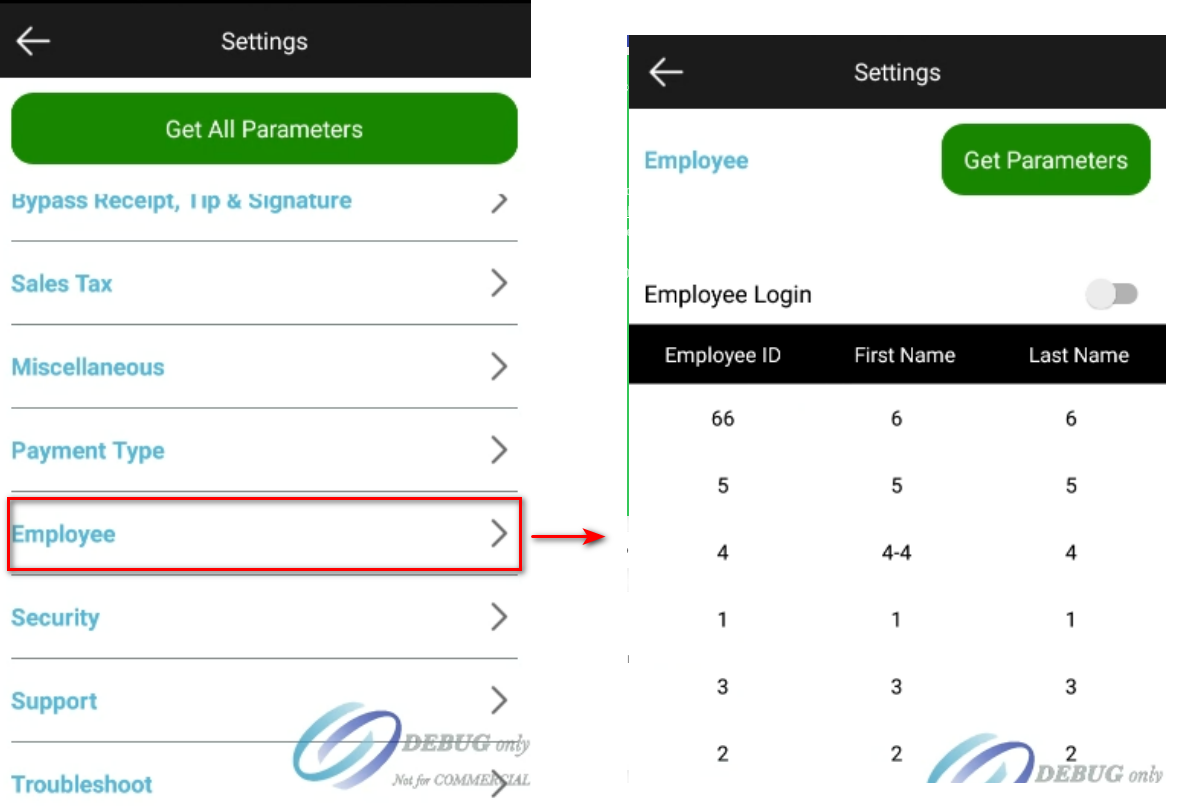
Add thêm chức năng login ở Settings trên pos express.(từ version 7.7)
Có 2 mode on/off chức năng login ở page Employee.
Có thể Get Parameters hoặc Get All Parameters từ màn hình Settings để cập nhật list user từ cloud, list user chỉ được tạo từ cloud. (dù on/off Employee Login đều có thể get được).
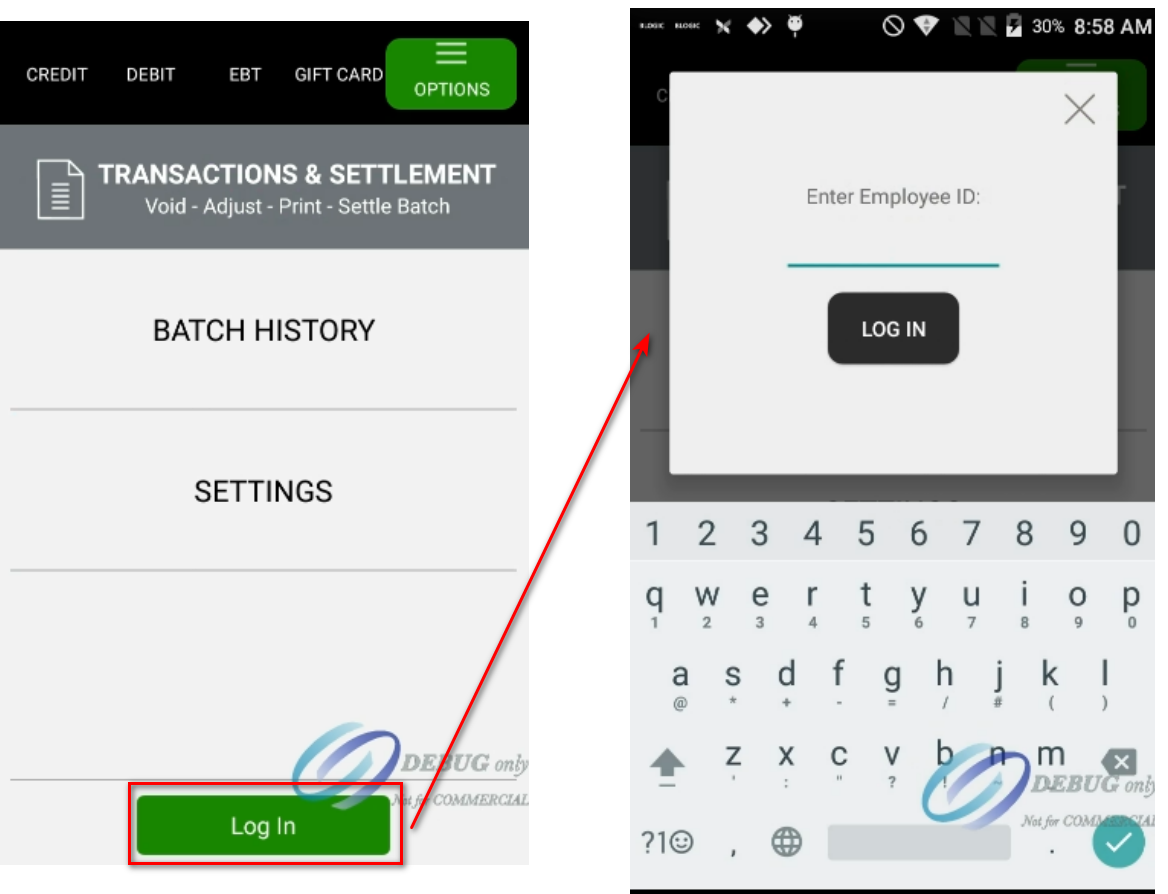
Khi bật On Employee Login thì ở màn hình Options sẽ xuất hiện button Login.
pe-login_screen_1.png
Khi Off mode login, app sử dụng như logic bình thường.
Khi On mode login, yêu cầu login mỗi khi tạo Sale/Refund transaction.
Khi click vào Sale/Refund/Void/Sale or Refund by Token, màn hình Login xuất hiện yêu cầu input Employee ID
Ở Gift Card, khi chọn Swipe hay Enter Gift Card # Manually, màn hình Login xuất hiện yêu cầu input Employee ID
Sau khi login thì thực hiện các transaction bình thường. (Logic làm ở thời điểm này: chỉ cần login 1 lần là thực hiện được các trans mà không cần log lại sau mỗi lần làm 1 trans).
Nếu đang login, mà user đó bị update user id trên cloud.
Nếu không get parameter thì vẫn work bình thường.
Nếu get parameter thì bị back về màn hình Options và bị logout.
Nếu list user trên cloud mà get về là blank thì Employee Login bị disable.
❓️ Open Questions
Question
Answer
How might we make users more aware of this feature?
We’ll announce the feature with a blog post and a presentation
⚠️ Out of Scope
List the features discussed which are out of scope or might be revisited in a later release.